Meta Box - WooCommerce integration
Meta Box integrates with WooCommerce so you can add custom fields to products, orders, and subscriptions. You create field groups the same way you do for posts. Meta Box shows the fields on the WooCommerce edit screens and stores the values with the correct WooCommerce data.
You can use this integration to:
- Add custom fields to products (
product) and show the values on the product page. - Add custom fields to orders (
shop_order) in both legacy post storage and High-Performance Order Storage (HPOS). - Add custom fields to WooCommerce Subscriptions (
shop_subscription). - Read field values on the frontend with helper functions such as
rwmb_meta(). - Save product or order fields to a custom database table with MB Custom Table, in legacy mode or in HPOS mode.
Meta Box detects the HPOS state automatically. It declares HPOS compatibility with WooCommerce and saves order field values to the HPOS order meta table when HPOS is on. You do not need extra configuration for basic order fields.
Adding custom fields to products
Products use the product post type. You add custom fields to products the same way you add custom fields to any post type.
In the builder:
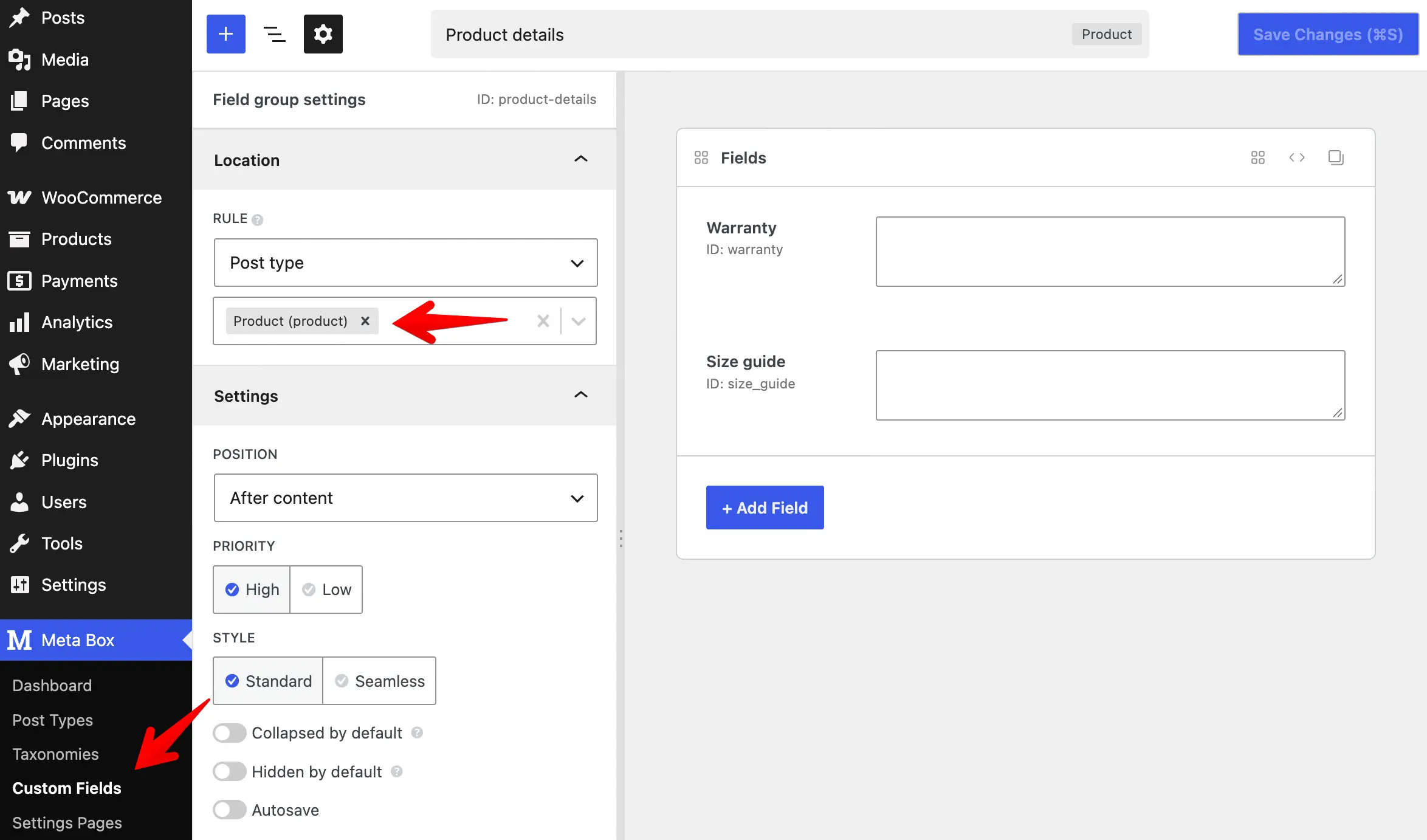
Or with code:
add_filter( 'rwmb_meta_boxes', function ( $meta_boxes ) {
    $meta_boxes[] = [
        'title'      => 'Product details',
        'post_types' => 'product',
        'fields'     => [
            [
                'name' => 'Warranty',
                'id'   => 'warranty',
                'type' => 'textarea',
            ],
            [
                'name' => 'Size guide',
                'id'   => 'size_guide',
                'type' => 'textarea',
            ],
        ],
    ];

    return $meta_boxes;
} );
The field group then appears on the product edit screen. Meta Box saves the field values as product meta when you save the product.
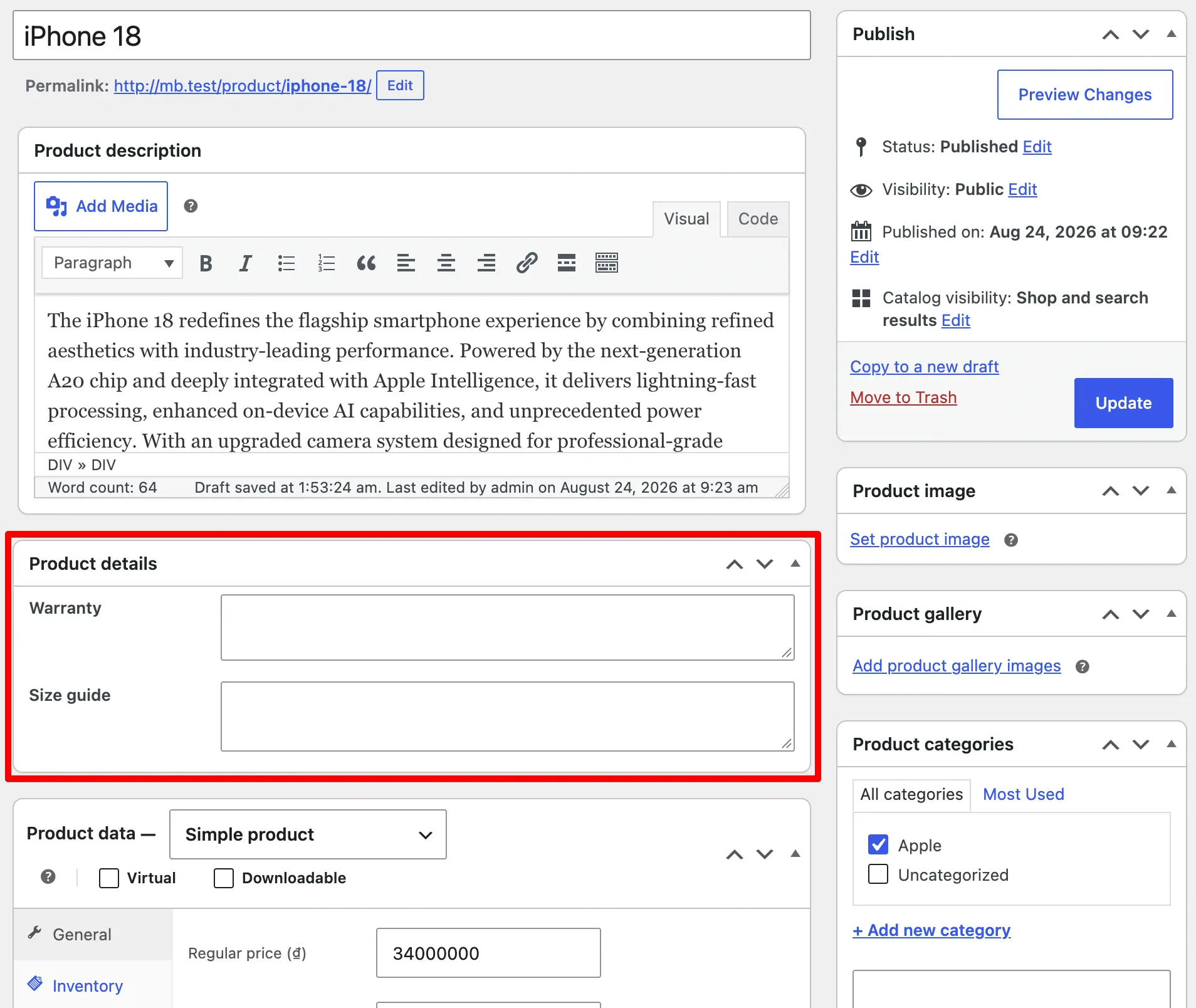
To show the field values on the frontend, use the helper functions such as rwmb_meta() with the product ID:
$product_id = 123;
$warranty   = rwmb_meta( 'warranty', '', $product_id );
$size_guide = rwmb_meta( 'size_guide', '', $product_id );
Adding custom fields to orders
WooCommerce stores orders in different ways by storage mode. From WooCommerce 8.2, you can enable High-Performance Order Storage (HPOS) to store order data in dedicated custom tables instead of the default posts and post meta tables.
Meta Box supports both storage modes. To add custom fields to orders, register a field group with the shop_order post type in the builder:
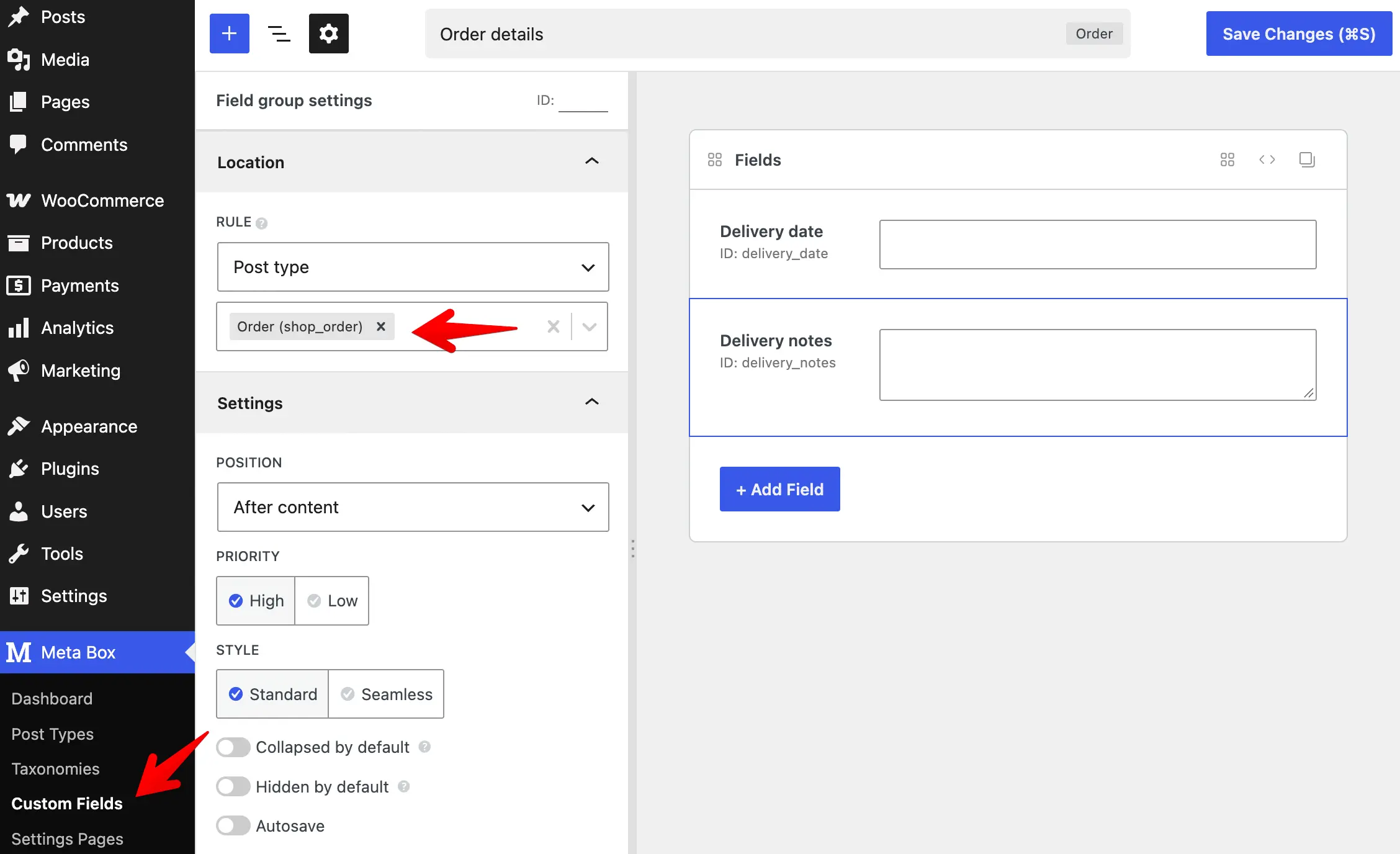
Or with code:
add_filter( 'rwmb_meta_boxes', function ( $meta_boxes ) {
    $meta_boxes[] = [
        'title'      => 'Order details',
        'post_types' => 'shop_order',
        'fields'     => [
            [
                'name' => 'Delivery date',
                'id'   => 'delivery_date',
                'type' => 'date',
            ],
            [
                'name' => 'Delivery notes',
                'id'   => 'delivery_notes',
                'type' => 'textarea',
            ],
        ],
    ];

    return $meta_boxes;
} );
The field group then appears on the order edit screen. Meta Box saves the field values when you save the order.
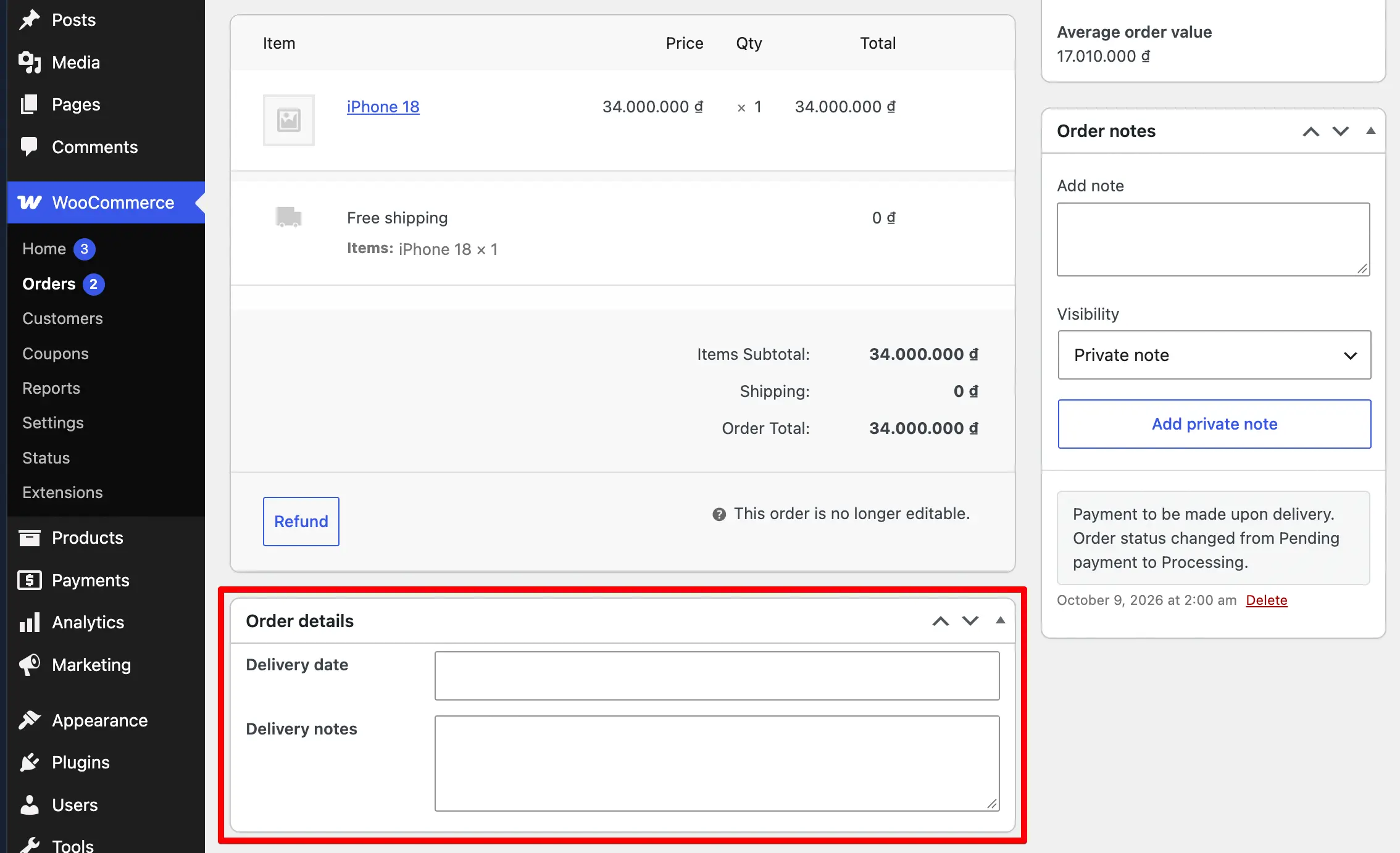
Support for WooCommerce Subscriptions
Meta Box also supports the WooCommerce Subscriptions extension. To add custom fields to subscription edit screens, set post_types to shop_subscription:
add_filter( 'rwmb_meta_boxes', function ( $meta_boxes ) {
    $meta_boxes[] = [
        'title'      => 'Subscription details',
        'post_types' => 'shop_subscription',
        'fields'     => [
            [
                'name' => 'Notes',
                'id'   => 'subscription_notes',
                'type' => 'textarea',
            ],
        ],
    ];

    return $meta_boxes;
} );
Showing order field values
To show the order field values on the frontend, use the helper functions such as rwmb_meta() with the order ID:
$order_id = 123;
$date     = rwmb_meta( 'delivery_date', '', $order_id );
$notes    = rwmb_meta( 'delivery_notes', '', $order_id );
High-Performance Order Storage (HPOS)
Compatibility
Meta Box includes a built-in integration with WooCommerce HPOS. When HPOS is on, WooCommerce shows orders on a custom screen (WooCommerce > Orders) instead of the post editor. WooCommerce stores order data in the wc_orders and wc_orders_meta tables instead of posts and postmeta.
Meta Box detects the HPOS state and does the following automatically:
- Declares compatibility with the HPOS feature. This hides the incompatible plugin notice in WooCommerce settings.
- Saves custom field values to the order meta table (
wc_orders_meta) with the WooCommerce API. This stores the data in the HPOS tables correctly.
Using custom tables
MB Custom Table also works with orders. You can save custom fields to custom tables for orders in legacy mode and in HPOS mode.
To do this, set storage_type and table in the field group settings. Use the same settings you use for posts:
add_filter( 'rwmb_meta_boxes', function ( $meta_boxes ) {
    $meta_boxes[] = [
        'title'        => 'Order details',
        'post_types'   => 'shop_order',
        'storage_type' => 'custom_table',
        'table'        => 'my_order_table',
        'fields'       => [
            [
                'name' => 'Delivery date',
                'id'   => 'delivery_date',
                'type' => 'date',
            ],
            [
                'name' => 'Delivery notes',
                'id'   => 'delivery_notes',
                'type' => 'textarea',
            ],
        ],
    ];

    return $meta_boxes;
} );
For details on creating custom tables and connecting them to field groups, see the MB Custom Table documentation.
Limitations
With HPOS, custom columns added by MB Admin Columns still show on the orders screen. In HPOS mode, you cannot search or sort orders by custom field values. The meta queries for these features do not work with the HPOS order list screen.