Status column
The status column lets you quickly switch the status of field groups, custom post types, custom taxonomies, settings pages, and relationships between Publish and Draft without opening each item individually. You can enable this feature for posts of a custom post type as well.
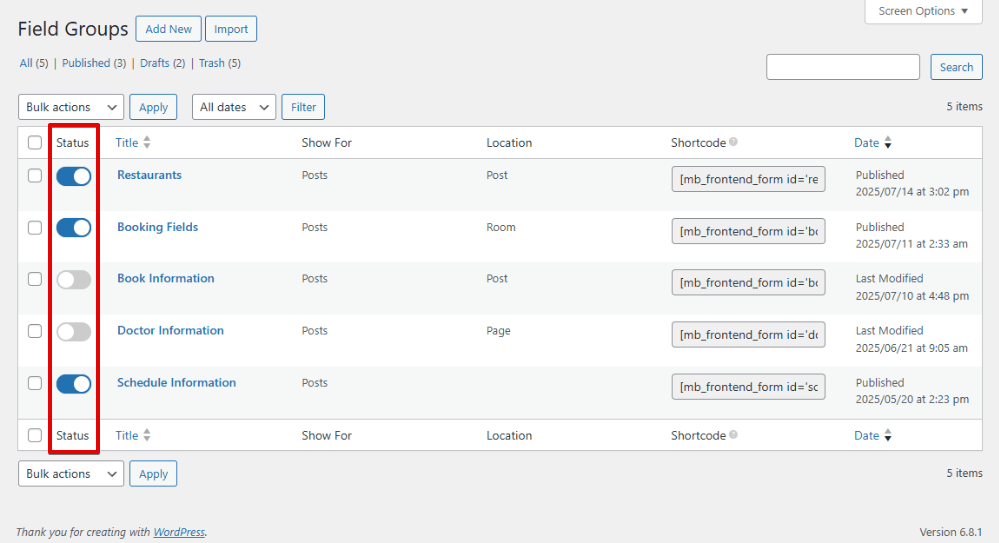
This feature adds a small toggle button directly to the management screen. Switch it on to publish, or off to save as a draft.
As a result, the traditional Publish/Update actions on the edit screens of field groups, custom post types, custom taxonomies, settings pages, and relationships are replaced with a single Save Changes button.
Custom post types
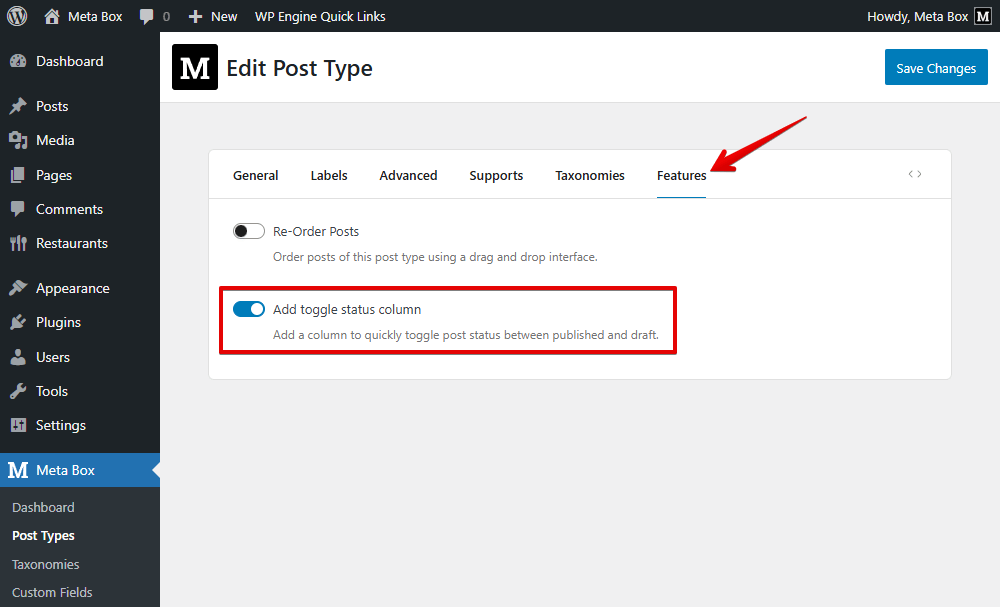
To add a status column to the table of the post list of a custom post type, when you create that post type with Meta Box, navigate to the Features tab, then enable the setting as below:
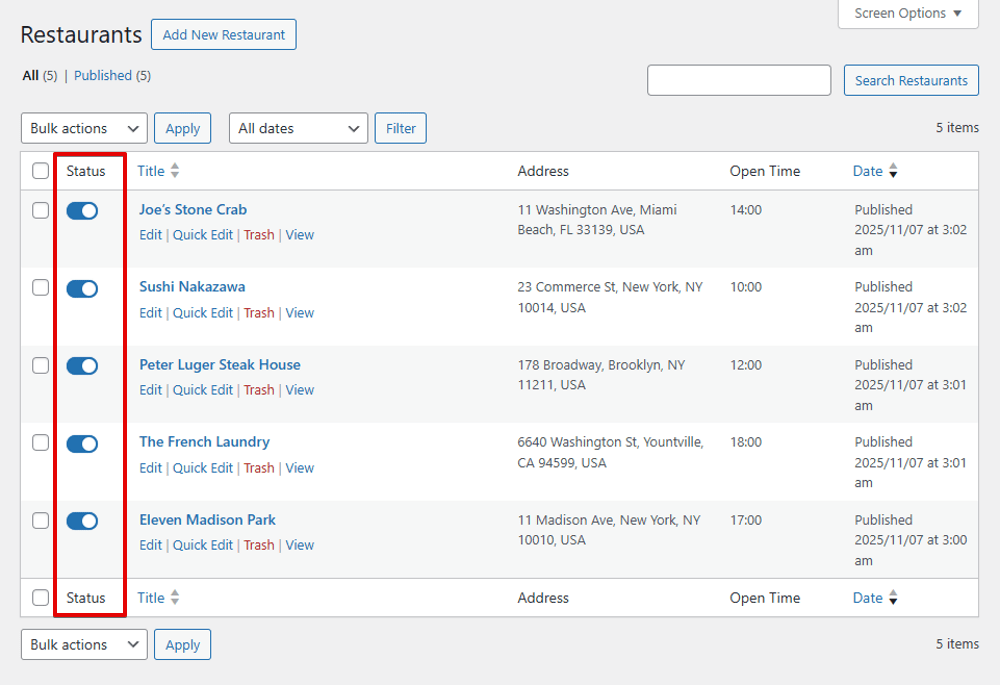
Then, you will see the Status column displayed. Turn the button on to publish or turn it off to save the post to a draft.
If your post type is not created by Meta Box, then you can use this filter to enable this feature for the post type:
add_filter( 'mbb_toggle_status_post_types', function( $post_types ) {
	$post_types[] = 'your-post-type-slug';
	return $post_types;
} );