Tools
Meta Box AIO includes four tools that help you clean up and optimize your WordPress database. They focus on removing unused data, fixing field inconsistencies, and handling post types efficiently. These tools let you:
- Remove orphaned custom field entries
- Delete data from unused or deleted field keys
- Migrate data from one field key to another
- Move posts from one post type to another
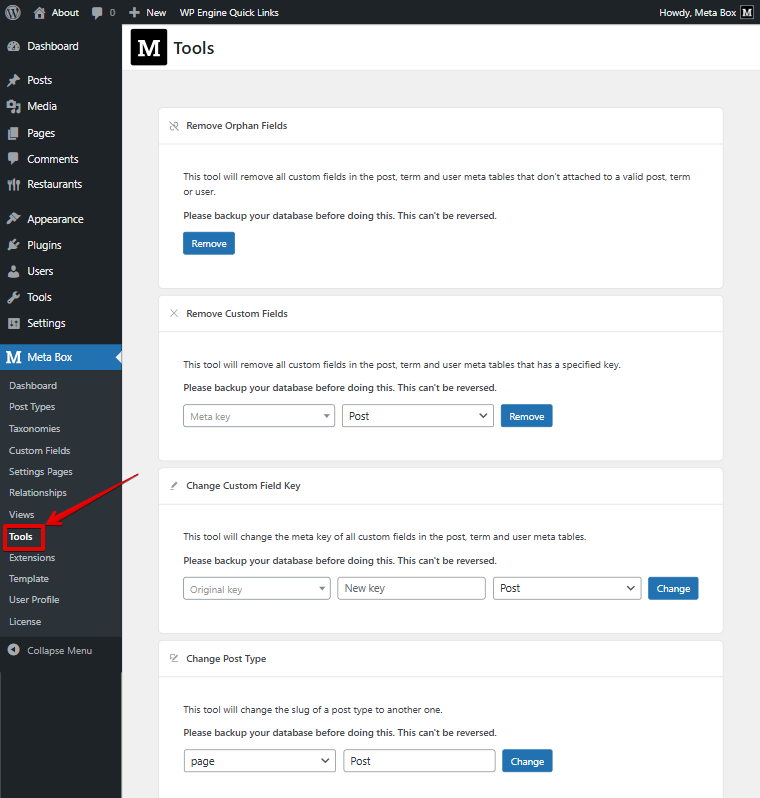
They act as a small maintenance toolkit to keep your database clean and running smoothly.
Removing orphan fields
This tool deletes custom field that no longer belong to any post, term, or user. It helps you clean up leftover data and free your database with a single click.

Removing custom fields
This tool helps you remove all data for a specific custom field key across posts, terms, or users when you delete fields you no longer use. It cleans up leftover data that would otherwise take up unnecessary space in your database.

Changing custom field key
The Change Custom Field Key tool helps you migrate all data from an old custom field key to a new one when you rename a custom field (for example, from location to address), ensuring nothing is lost and your content stays consistent.

You'll also get suggestions of existing field keys, making it easier to select and update.
Changing post type
This tool helps you move posts to a different post type when a post type is disabled or removed.
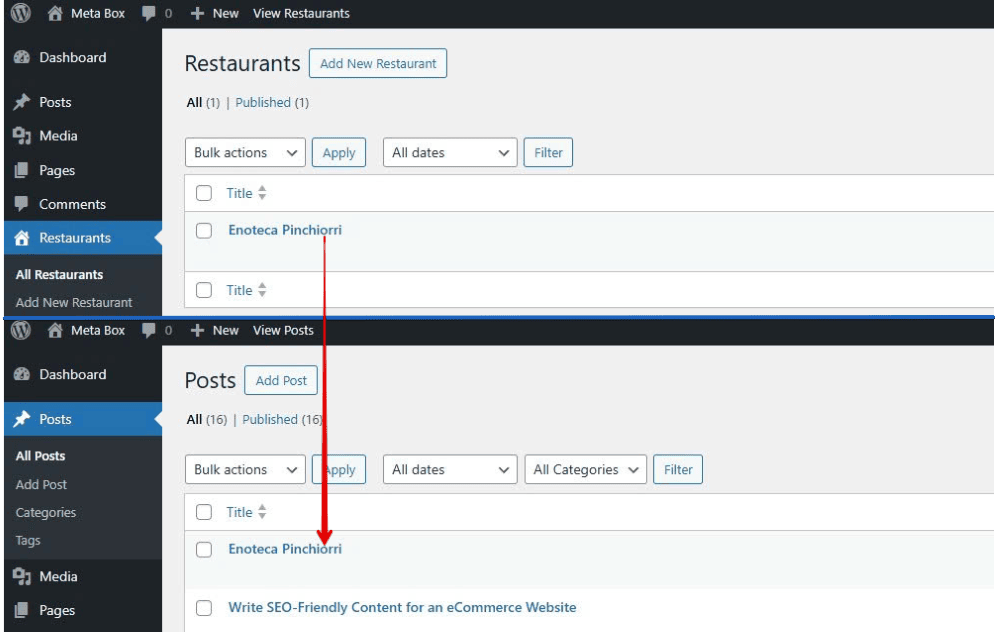
For example, if the Restaurant post type is disabled, its posts remain in the database but are inaccessible; using this tool, you can move them to Post, making them visible and usable again.

As a result, the posts in the Restaurant post type will be moved to Post.
Each tool is easy to use, choose an option and click. Remember back up your database before running them.